
Your client requests a sleek, professional logo design, and you create it in Photoshop.
Everything’s great until they try enlarging it for a billboard, and boom–it looks like a mess. Awkward, right? This common mistake happens because many don’t understand the difference between Photoshop and Illustrator.
To prevent such cringe-worthy moments, this blog will help you understand the key difference between Photoshop and Illustrator and when to use each.
Understanding the Basic Difference Between Photoshop and Illustrator
While Photoshop and Illustrator are both part of Adobe’s suite of creative tools, each software has a different primary purpose.
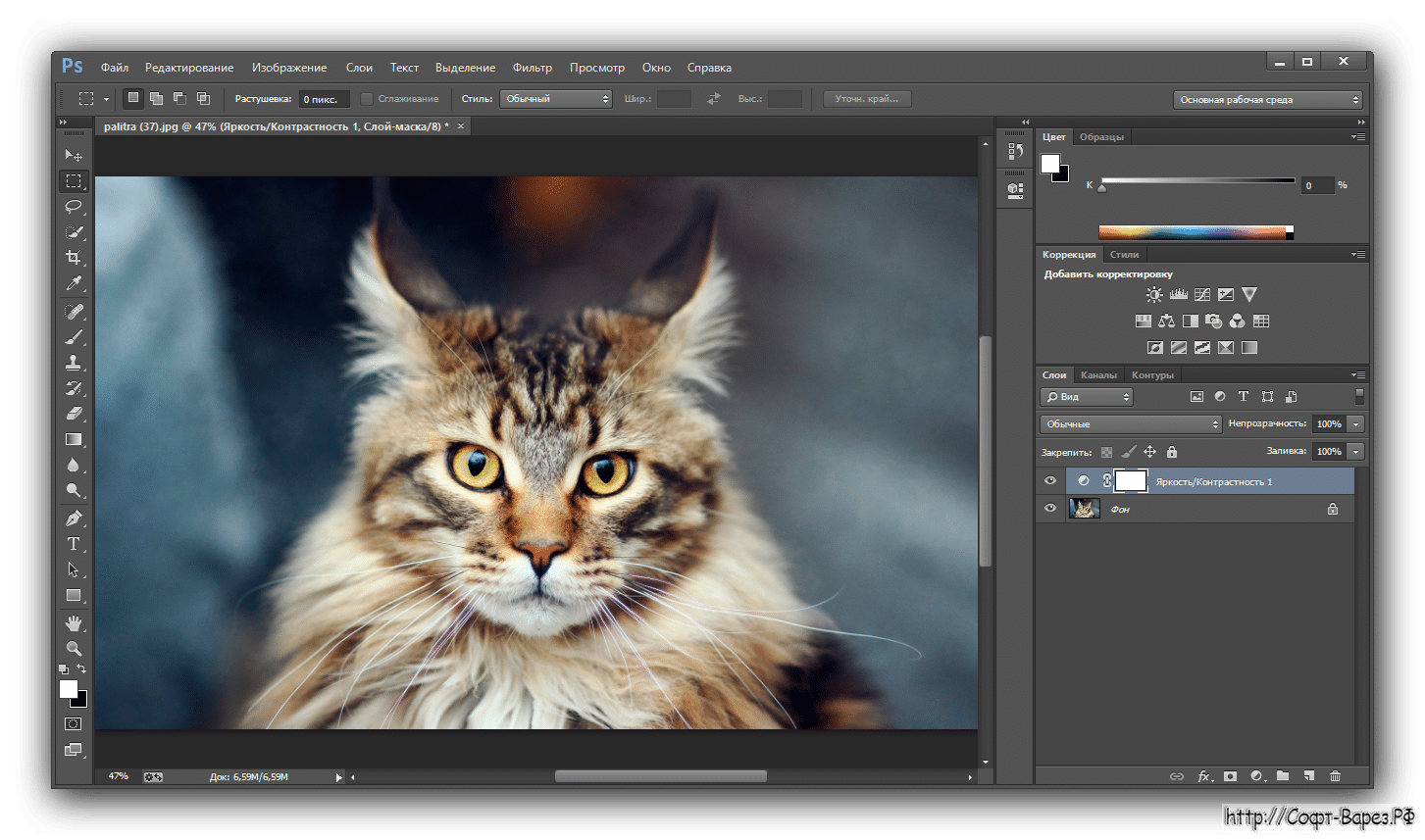
Photoshop and Its Key Features
It is a raster-based software which is basically used for image editing and manipulation.
It uses pixels to create images, making it ideal for creating and editing detailed images like photographs, digital paintings, and website designs.
These files allow you to continue editing from where you left off as they are saved with the extension .psd. Common raster file export formats include .jpg and .png.
Key Features
Raster-Based Precision
Photoshop operates with pixels, providing unmatched accuracy for photo editing. Whether it’s for retouching or adjusting colours, it’s a preferred choice for photographers.
Layered Editing
The software allows for complex designs by letting users stack, merge, and manipulate multiple layers.
Pixel-perfect tool
It excels in photo manipulation, digital painting and sketching and UI and UX designing.
Pros and Cons of Photoshop
Pros:
Ideal for photo editing and manipulation.
Extensive support for third-party plugins.
Advanced digital painting tools.
Cons:
Limited scalability for designs.
Not suitable for creating vector graphics like logos.
Illustrator and Its Key Features
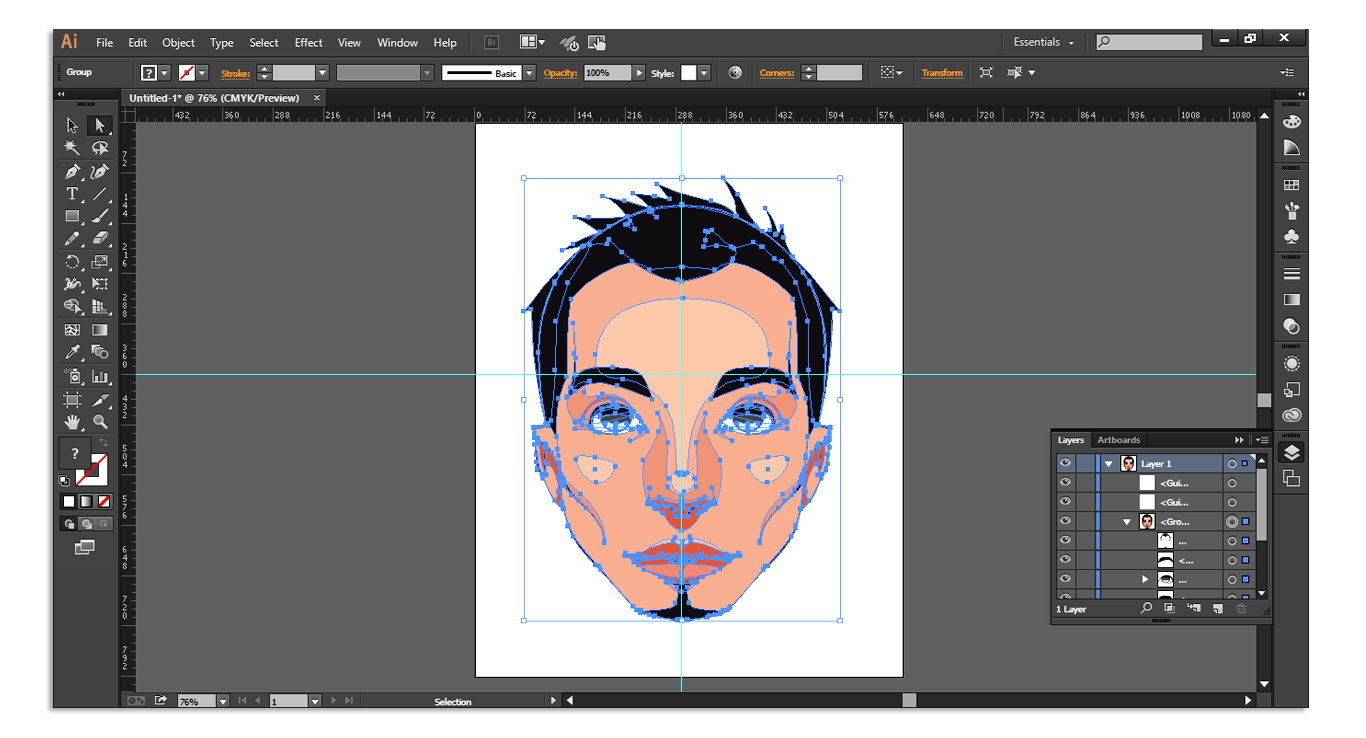
It is an advanced vector-based software, used for creating scalable graphics like logos, icons, and illustrations.
Unlike raster graphics, vectors are resolution-independent, which means they maintain quality regardless of size. ( They are scalable images that can be sized as small or as large as you need them.)
It is ideal for creating freehand drawings, logos, infographics, print projects, and many more. Typical vector file formats include .ai, .eps, and .svg.
Key Features
Vector Graphics
It uses mathematical constructs to create vector graphics which can be scaled to any size without losing quality.
Typography Tools
It offers advanced text tools, making it ideal for creating visually appealing posters, brochures, and advertisements.
High-Resolution
Its scalability and precision as well as its ability to handle high-resolution vectors make it the perfect tool for logo creation and print designers.
Pros and Cons of Illustrator
Pros:
Excellent for creating scalable graphics.
Superior typography tools.
Perfect for professional print design.
Cons:
Less effective for detailed photo editing.
Steeper learning curve for beginners, i.e. difficult to learn and takes a long time to master.
The Technical Difference Between Photoshop and Illustrator
To better understand the difference between Photoshop and Illustrator, let’s explore the technical side of both tools.
S.No. | Technical Aspect | Photoshop | Illustrator |
|
|
|
|
|
|
|
|
|
|
|
|
After understanding the basic and technical difference between Photoshop and Illustrator you may be wondering when to use Photoshop and when to use Illustrator. Don’t worry here’s the answer:
When to Photoshop?
If your project involves editing and enhancing images. Use it for:
Photo retouching.
Creating realistic composites.
Designing web layouts.
When to use Illustrator?
It is ideal for projects requiring scalability and precision. Use it for:
Logo design.
Vector illustration.
Custom typography.
Can You Use Photoshop and Illustrator Together?
Definitely! In reality, many designers utilise both applications together. For example, you can design a logo in Illustrator and then incorporate it into a detailed web design in Photoshop. Adobe’s Creative Cloud suite enables smooth integration between these two software.
Final Words
If you’re new to design and feeling overwhelmed about where to start, don’t worry—every expert was once a beginner.
Understanding the differences between Adobe Illustrator and Photoshop is just the first step toward unlocking your creative potential. These tools are essential for designing stunning visuals, whether you’re creating logos, building web layouts, or crafting social media content. Imagine mastering these skills and applying them to real-world marketing strategies that captivate audiences and drive results.
Our Graphic Design Course is designed to help you master these tools, guiding you in turning your ideas into professional designs. With our support, you’ll no longer feel stuck wondering which tool to use next.
So, why wait for? Join us today.
