

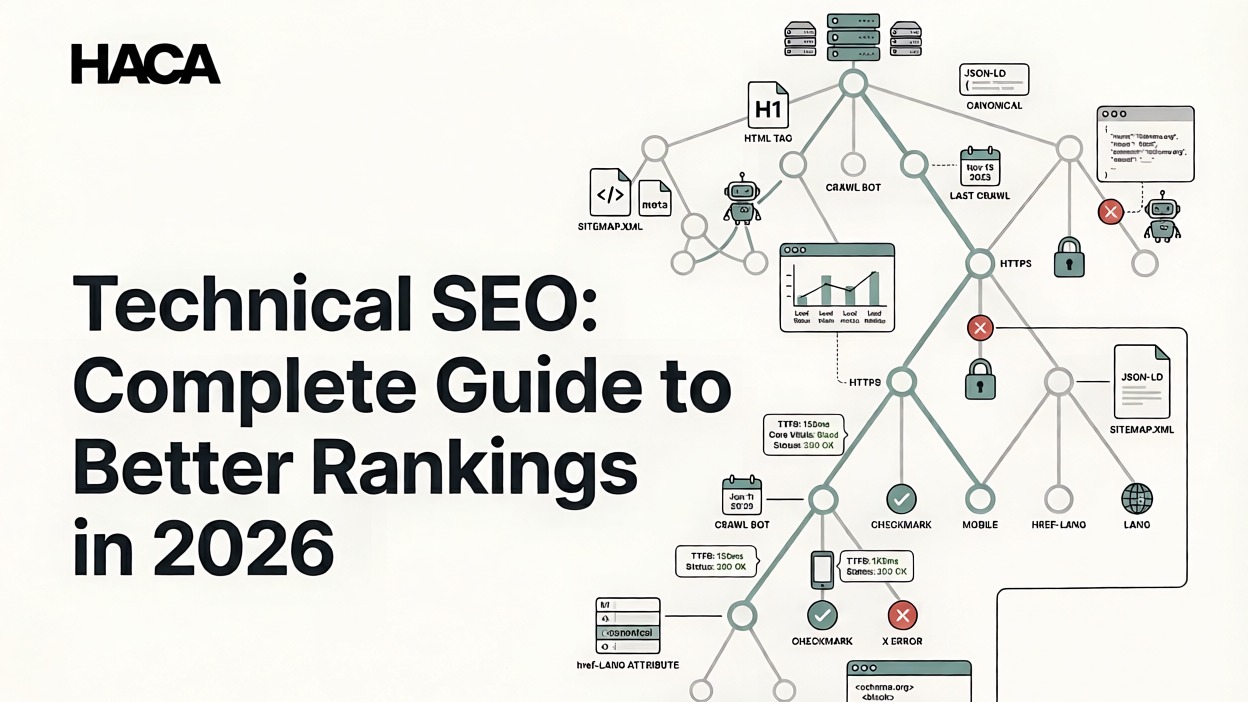
Creating high-quality content is only one part of SEO. Even the most informative blog post or well-designed website can struggle to rank if search engines cannot properly access, understand, or index its pages. This is where Technical SEO becomes important.
What Is Technical SEO?
Technical SEO is the process of optimizing a website's technical infrastructure to help search engines access, understand, and index its content efficiently. Unlike On-Page SEO, which focuses on content, keywords, and page optimization, Technical SEO focuses on how a website functions behind the scenes.
When search engines like Google visit a website, they need to discover pages, understand their purpose, and determine whether they should appear in search results. If technical issues prevent this process from happening smoothly, rankings can suffer regardless of how good the content may be.
Technical SEO covers several important areas, including website crawlability, indexability, page speed, mobile friendliness, XML sitemaps, HTTPS security, structured data, and site architecture. Together, these elements help create a website that is easy for search engines to navigate and understand.
In this guide, you'll learn what Technical SEO is, why it matters, how search engines crawl and index websites, the most important technical SEO factors to optimize, common issues to avoid, and a practical checklist you can use to improve your website's performance in 2026.
How Technical SEO Works
Before a page can rank on Google, it must go through three important stages:
Crawling: Search engine bots discover and visit pages on your website.
Indexing: The information collected during crawling is stored in Google's database.
Ranking: Google evaluates the page and decides where it should appear for relevant searches.
Technical SEO helps ensure that each of these steps happens smoothly. If a page cannot be crawled or indexed, it has little chance of appearing in search results, regardless of its content quality.
Why Is Technical SEO Important?
Many website owners focus heavily on content creation but overlook technical SEO. Unfortunately, even excellent content can struggle to perform if technical problems prevent search engines from accessing it properly.
One of the biggest benefits of Technical SEO is improved crawlability. Search engines use automated bots to discover and analyze webpages. If these bots encounter obstacles such as broken links, blocked resources, or confusing site structures, they may fail to discover important content.
Technical SEO also improves indexability. Just because Google finds a page doesn't mean it will add it to its index. Technical issues such as noindex tags, duplicate content, or incorrect canonical tags can prevent valuable pages from appearing in search results.
User experience is another important factor. Fast-loading pages, mobile-friendly layouts, secure connections, and stable page performance all contribute to a better experience for visitors. Websites that are easier to use often achieve better engagement and stronger SEO results.
Finally, Technical SEO supports rankings by providing search engines with clear signals about your website. While technical optimization alone won't guarantee top rankings, unresolved technical issues can hold back even the best content and marketing efforts.
How Search Engines Crawl and Index Websites
Before you can understand Technical SEO, it's important to know how search engines discover and process websites.
Every time you publish a new webpage, Google doesn't automatically know it exists. Search engines must first find the page, understand its content, and decide whether it deserves a place in search results.
This process happens in three stages: crawling, indexing, and ranking.
What is Crawling?
Crawling is the process search engines use to discover webpages across the internet.
Google uses automated programs called crawlers or bots that move from page to page by following links. Whenever a crawler visits your website, it analyzes the content, checks links, and looks for new pages that haven't been discovered before.
Think of crawling like a librarian walking through a library and taking note of every book on the shelves. If some books are hidden in a locked room, the librarian won't know they exist.
The same thing can happen on websites. Pages with broken links, poor navigation, or blocked access may not be crawled properly.
This is why website structure, internal linking, and crawlability are important parts of Technical SEO.
What is Indexing?
After a page is crawled, search engines decide whether it should be stored in their database; this process is called indexing.
When a page is indexed, it becomes eligible to appear in search results. If a page isn't indexed, it cannot rank regardless of how useful the content may be.
There are several reasons why pages may not be indexed:
Noindex tags are blocking the page
Duplicate content causes confusion
The page provides little value
Technical errors prevent proper processing
Search engines cannot access important resources
One of the easiest ways to check indexing is through Google Search Console, where you can see which pages have been indexed and identify potential issues.
What is the ranking process?
Once a page has been crawled and indexed, search engines evaluate it for relevant searches.
Google looks at hundreds of signals when deciding rankings, including:
Content quality
Search intent match
Website authority
User experience
Page speed
Mobile friendliness
Technical health
While content remains one of the strongest ranking factors, Technical SEO ensures search engines can access and evaluate that content correctly.
Simply put, Technical SEO creates the foundation that allows your content to compete in search results.
Also Read: What Is Indexing And Crawling In SEO? The Ultimate Guide for 2026
Core Elements of Technical SEO
Several technical factors influence how search engines interact with your website. Understanding these elements will help you build a stronger SEO foundation.
Website Crawlability
Website crawlability refers to how easily search engines can discover and access your webpages.
If crawlers cannot reach your content, they cannot analyze or rank it.
Good crawlability depends on:
Clear website structure
Proper internal linking
Functional navigation
Fast-loading pages
Correct robots.txt configuration
A website that is easy to crawl makes it easier for search engines to discover important content.
Robots.txt
The robots.txt file acts as a set of instructions for search engine crawlers. It tells search engines which sections of a website should be crawled and which areas should be ignored.
For example, you may want to block search engines from accessing login pages, admin areas, or duplicate content sections.
However, mistakes in robots.txt files can accidentally block valuable content from search engines. This is one of the most common Technical SEO errors found during website audits.
Crawl Budget
Crawl budget refers to the number of pages search engines are willing to crawl on a website within a certain period.
For small websites, crawl budget is usually not a concern.
For larger websites with thousands of pages, optimizing crawl budget becomes important because search engines may not crawl every page regularly.
You can improve crawl efficiency by:
Fixing broken links
Removing duplicate pages
Updating XML sitemaps
Improving internal linking
Eliminating unnecessary redirects
Crawl Errors
Crawl errors occur when search engines cannot access certain pages.
Common crawl errors include:
Broken links
Server issues
Redirect loops
Blocked resources
Incorrect robots.txt settings
Regularly checking Google Search Console can help identify and fix these issues before they affect rankings.
Website Indexability
While crawlability determines whether search engines can access a page, indexability determines whether the page can appear in search results.
A page can be crawled successfully but still fail to get indexed.
Noindex Tags
Noindex tags instruct search engines not to add a page to their index.
These tags are useful for pages that should remain private or don't need to appear in search results, such as:
Thank-you pages
Admin pages
Internal search results
Duplicate content pages
However, accidentally adding noindex tags to important pages can severely impact visibility.
Canonical Tags
Canonical tags help search engines identify the preferred version of a page.
For example, if similar content exists on multiple URLs, canonical tags tell Google which version should receive ranking credit.
This helps prevent duplicate content issues and improves index management.
XML Sitemaps
An XML sitemap is a file that lists important pages on your website.
Think of it as a roadmap that helps search engines understand your website structure and discover content more efficiently.
XML sitemaps are particularly useful for:
New websites
Large websites
Ecommerce websites
Websites with complex structures
After creating a sitemap, it should be submitted through Google Search Console to help search engines discover content faster.
Site Architecture
Site architecture refers to how your website is organized and how pages connect with one another. A well-structured website makes it easier for visitors to find information and helps search engines understand the relationship between different pages.
Think of your website like a shopping mall. If every store is clearly labeled and easy to locate, visitors can quickly find what they need. But if there are no signs or categories, people will get frustrated and leave. Search engines work in a similar way.
A good website structure should:
Group related content together
Use clear navigation menus
Keep important pages within a few clicks from the homepage
Include logical URL structures
Use internal links to connect related content
For example, if you have an SEO section on your website, pages about On-Page SEO, Technical SEO, Keyword Research, and Link Building should be connected through internal links and organized under a common category.
Internal Linking Structure
Internal links help search engines discover pages and understand which content is most important. They also encourage visitors to explore more pages on your website, which can improve engagement.
A strong internal linking structure helps:
Distribute authority across pages
Improve crawlability
Increase page discovery
Guide users to relevant content
This is why many successful websites use topic clusters, where one main page links to several related pages covering subtopics in greater detail.
Mobile Friendliness
More than half of all online searches now happen on mobile devices. Because of this, Google primarily evaluates the mobile version of a website when determining rankings.
This approach is known as Mobile-First Indexing.
If your website doesn't work properly on smartphones or tablets, it can negatively affect both user experience and search visibility.
A mobile-friendly website should:
Adapt to different screen sizes
Load quickly on mobile networks
Display readable text without zooming
Have buttons that are easy to tap
Avoid elements that break on smaller screens
Responsive Design
Responsive design allows a website to automatically adjust its layout based on the user's device.
Instead of creating separate desktop and mobile websites, responsive design provides a consistent experience across all devices.
For most websites today, responsive design is considered the standard approach for mobile optimization.
Page Speed Optimization
If a page takes too long to appear, visitors often leave before interacting with the content. Search engines understand this behavior and consider page speed an important factor when evaluating website quality.
Page speed affects:
User experience
Bounce rates
Conversion rates
Search visibility
A fast website helps visitors access information quickly and creates a smoother browsing experience.
Does Page Speed Affect Rankings?
Yes, page speed can influence rankings. While it isn't the most important ranking factor, slow websites often struggle to compete with faster alternatives that provide a better user experience.
Common Causes of Slow Websites
Several technical issues can reduce website performance, including:
Large image files
Excessive plugins
Poor hosting
Unnecessary scripts
Large CSS and JavaScript files
Regular performance testing can help identify these issues before they impact visitors.
Understanding Core Web Vitals
Core Web Vitals are a set of metrics Google uses to measure real-world user experience.
They focus on three key areas:
Loading Performance – How quickly the main content appears.
Responsiveness – How quickly the page responds to user interactions.
Visual Stability – Whether page elements move unexpectedly while loading.
A website that performs well across these metrics generally provides a better experience for users.
HTTPS Security
Website security is another important component of Technical SEO.
HTTPS encrypts information shared between visitors and websites, helping protect sensitive data from unauthorized access.
You can identify secure websites by the padlock icon displayed in modern browsers.
Benefits of HTTPS include:
Improved website security
Increased user trust
Better protection of personal information
Positive SEO signals
Today, HTTPS is considered a basic requirement for every website, regardless of its size or industry.
If your website still uses HTTP, upgrading to HTTPS should be a priority.
Structured Data and Schema Markup
Search engines can read content, but structured data helps them understand it more clearly.
Schema markup is a type of code that provides additional information about your content. It helps search engines identify important details such as products, reviews, articles, events, FAQs, and local business information.
For example, if you publish a product page, schema markup can tell search engines:
Product name
Price
Availability
Reviews
Ratings
This additional information may allow your content to appear as rich results in search listings.
Why Schema Markup Matters
Schema markup helps search engines:
Understand content context
Improve search result appearance
Increase visibility
Support AI-powered search experiences
As AI search continues to grow, structured data is becoming increasingly important because it provides clear signals about what a page contains.
Businesses that implement schema correctly often gain an advantage in both traditional search results and AI-generated answers.
Common Technical SEO Issues
Even websites with great content can experience ranking problems if technical issues are left unresolved. Many of these problems go unnoticed for months, gradually affecting search visibility, user experience, and organic traffic.
The good news is that most technical SEO issues can be identified and fixed through regular audits.
Broken Links
Broken links lead visitors and search engines to pages that no longer exist. When users click a link and land on an error page, it creates a frustrating experience and can reduce trust in your website.
From an SEO perspective, broken links can waste crawl resources and make it harder for search engines to navigate your site effectively.
Regularly checking for broken links and updating or redirecting them can help maintain a healthy website structure.
Redirect Chains
Redirects are useful when a page has been moved to a new URL. However, problems occur when one redirect leads to another, which then leads to another.
For example:
Page A → Page B → Page C
This creates a redirect chain. Too many redirects can slow down page loading, confuse search engines, and reduce crawl efficiency. Whenever possible, redirects should point directly to the final destination.
Duplicate Content
Duplicate content occurs when the same or very similar content exists on multiple URLs.
This can happen because of:
URL variations
Product filters
Printer-friendly pages
Multiple versions of the same content
Duplicate content can make it difficult for search engines to determine which page should rank. Using canonical tags helps indicate the preferred version of a page.
Missing Canonical Tags
Canonical tags tell search engines which version of a page should be treated as the primary version. Without canonical tags, search engines may split ranking signals across multiple versions of the same content, reducing visibility.
This issue is especially common on ecommerce websites where products may appear under multiple categories.
Slow Loading Pages
Page speed directly affects user experience. Visitors expect websites to load quickly, and even a few extra seconds can lead to higher bounce rates.
Common causes of slow websites include:
Large image files
Poor hosting services
Excessive plugins
Unoptimized code
Too many third-party scripts
Improving page speed often results in better engagement and stronger SEO performance.
Orphan Pages
Orphan pages are pages that have no internal links pointing to them.
Because search engines primarily discover content through links, orphan pages can be difficult to find and index.
A strong internal linking strategy helps ensure all important pages remain accessible to both users and search engines.
Indexing Issues
One of the most common SEO problems is when important pages fail to appear in Google's index.
Indexing issues can be caused by:
Noindex tags
Robots.txt restrictions
Duplicate content
Server errors
Low-quality pages
Google Search Console is often the best place to investigate indexing problems and understand why certain pages aren't appearing in search results.
Technical SEO Audit Workflow Using Free Tools
A Technical SEO audit helps identify issues that may be preventing your website from performing at its full potential.

You don't need expensive software to perform a basic audit. Several free tools can provide valuable insights into your website's health.
Step 1: Check Indexing Status
Start by reviewing your website in Google Search Console.
Look for:
Indexed pages
Excluded pages
Crawl errors
Coverage issues
This provides a clear picture of how Google currently views your website.
Step 2: Review Website Speed
Use Google PageSpeed Insights to analyze loading performance.
Pay attention to:
Core Web Vitals
Mobile performance
Desktop performance
Improvement suggestions
Addressing speed issues can improve both user experience and SEO.
Step 3: Verify Mobile Friendliness
Since Google uses Mobile-First Indexing, it's important to ensure your website performs well on mobile devices.
Check:
Responsive design
Readability
Navigation
Mobile usability issues
Step 4: Inspect XML Sitemap
Confirm that your XML sitemap:
Exists
Includes important pages
Excludes unnecessary pages
Has been submitted through Google Search Console
A properly maintained sitemap helps search engines discover content efficiently.
Step 5: Check Internal Linking
Review how pages connect with one another.
Look for:
Orphan pages
Broken links
Missing internal links
Poor navigation structures
Strong internal linking improves both crawlability and user experience.
Step 6: Review Structured Data
Use Google's Rich Results Test to identify schema markup issues.
Make sure important pages include appropriate structured data where relevant.
Step 7: Monitor Security and Redirects
Verify:
HTTPS is active across all pages
Redirects are functioning correctly
No redirect chains exist
Completing this process every few months can help identify issues before they impact rankings.
Technical SEO Checklist for Small Businesses
Whether you're launching a new website or auditing an existing one, this checklist can help ensure your technical foundation is strong.
Website Setup
HTTPS enabled
Mobile-friendly design
Fast-loading pages
Clean URL structure
Crawling and Indexing
XML sitemap created
Sitemap submitted to Google Search Console
Robots.txt configured correctly
Important pages indexable
No crawl errors
Site Structure
Logical navigation
Strong internal linking
No orphan pages
Clear website hierarchy
Performance
Core Web Vitals optimized
Images compressed
Unnecessary scripts removed
Fast server response times
Advanced Optimization
Schema markup implemented
Canonical tags added
Redirects working correctly
Duplicate content minimized
Performing these checks regularly can prevent many common SEO issues before they become serious problems.
Best Technical SEO Tools
Technical SEO becomes much easier when you use the right tools. Fortunately, several excellent options are available for beginners and professionals alike.
Google Search Console
Google Search Console is one of the most valuable free SEO tools available.
It helps you:
Monitor indexing
Identify crawl errors
Submit XML sitemaps
Track search performance
Every website owner should have Google Search Console configured.
Google PageSpeed Insights
This free tool analyzes website performance and provides recommendations for improving speed and Core Web Vitals.
It's particularly useful for identifying performance bottlenecks.
Screaming Frog SEO Spider
Screaming Frog crawls websites similarly to how search engines do.
It can identify:
Broken links
Redirect issues
Missing metadata
Duplicate content
Ahrefs Site Audit
Ahrefs offers comprehensive technical audits and provides actionable recommendations for fixing SEO issues.
Semrush Site Audit
Semrush helps identify technical problems while prioritizing issues based on their impact.
Sitebulb
Sitebulb provides visual reports that make complex technical issues easier to understand and fix.
For beginners, Google Search Console and PageSpeed Insights are often enough to get started with Technical SEO audits.
Technical SEO for AI Search Engines
Search is changing rapidly. Traditional search results are now being joined by AI-generated answers, AI Overviews, and conversational search experiences. Instead of simply displaying a list of websites, search engines are increasingly providing direct answers to users.
This shift means Technical SEO is becoming even more important.
AI search engines rely heavily on clear website structures, accurate indexing, and well-organized content to understand and reference information. If search engines struggle to crawl or interpret your website, your chances of appearing in AI-generated responses become much lower.
How to Optimize Technical SEO for AI Search
To improve visibility in AI-powered search results, focus on:
Maintaining a clean website structure
Using schema markup wherever relevant
Improving page speed and user experience
Ensuring important pages are properly indexed
Creating clear content hierarchies
Using descriptive headings and internal links
Structured data is particularly important because it provides search engines with additional context about your content. As AI search evolves, websites that provide clear and organized information are likely to have an advantage.
Technical SEO for Local Business Websites
Many local businesses invest in content and social media marketing but overlook technical SEO. This can make it difficult for search engines to understand their website and display it in local search results.
Whether you own a restaurant, retail store, coaching center, clinic, or service-based business, Technical SEO plays a major role in improving local visibility.
Key Technical SEO Areas for Local Businesses
Local Business Schema
Adding Local Business Schema helps search engines understand important information such as:
Business name
Address
Contact details
Opening hours
Service areas
This information can improve how your business appears in local search results.
Mobile Optimization
Most local searches happen on mobile devices. People often search for businesses while traveling, shopping, or looking for immediate solutions.
A mobile-friendly website should:
Load quickly
Display correctly on all devices
Offer simple navigation
Make contact information easy to find
Fast Loading Pages
Page speed matters even more for local businesses because users are often looking for quick information. A slow website can result in lost customers and missed opportunities.
Secure Website
HTTPS helps build trust with visitors and ensures secure communication between users and your website. For local businesses, trust is often a deciding factor when choosing between competitors.
Technical SEO Mistakes to Avoid
Even experienced website owners occasionally make technical mistakes that affect search visibility. Understanding these common issues can help you avoid unnecessary ranking problems.

Blocking Important Pages in Robots.txt
Robots.txt is designed to guide search engine crawlers, but incorrect settings can accidentally block valuable pages from being crawled.
Before making changes, always verify that important content remains accessible to search engines.
Using Incorrect Canonical Tags
Canonical tags help search engines identify the preferred version of a page. Incorrect implementation can point search engines to the wrong URL and reduce visibility for important content.
Always review canonical settings during technical audits.
Ignoring Mobile Optimisation
With Mobile-First Indexing now standard, websites that perform poorly on mobile devices can struggle to compete in search results.
A good mobile experience should be considered a necessity rather than an optional improvement.
Not Updating XML Sitemaps
Websites change over time. New pages are added, old pages are removed, and content is updated.
An outdated XML sitemap may contain broken URLs or fail to include important new pages. Regular updates help search engines discover content more efficiently.
Creating Excessive Redirect Chains
Redirects are useful, but long redirect chains can create unnecessary complexity for search engines and users. Whenever possible, redirect pages directly to their final destination.
Ignoring Core Web Vitals
Many websites focus entirely on content while overlooking performance issues.
Poor Core Web Vitals can create frustrating user experiences and may affect overall SEO performance.
Neglecting Regular Technical Audits
Technical problems often develop gradually. Routine audits help identify issues before they become serious obstacles to growth. Even a basic audit every few months can uncover opportunities for improvement.
Conclusion
Technical SEO is the foundation of a successful SEO strategy. It ensures that search engines can crawl, understand, and index your website efficiently while also creating a better experience for visitors. From XML sitemaps and site architecture to Core Web Vitals, mobile optimization, HTTPS security, and structured data, every technical improvement contributes to stronger search visibility.
The good news is that Technical SEO doesn't have to be overwhelming. By following best practices, conducting regular audits, and addressing common issues early, you can build a website that performs well for both users and search engines.
If you're interested in learning Technical SEO, SEO audits, website optimization, content marketing, AI-powered search strategies, and other in-demand digital marketing skills, explore HACA's Digital Marketing Course in Kerala. Through practical training, real-world projects, and expert mentorship, you'll gain the knowledge and experience needed to succeed in today's digital marketing landscape.